
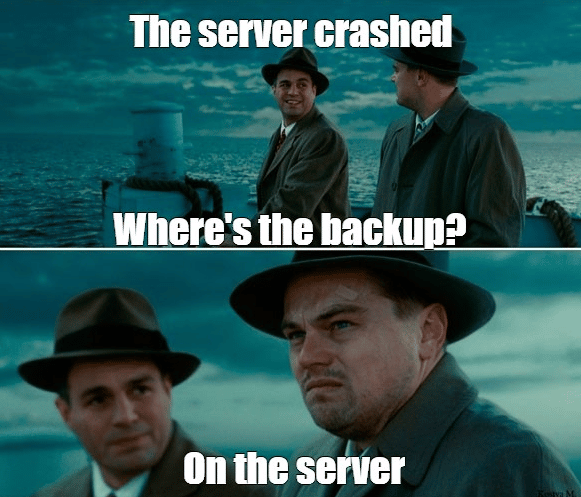
 Recently, there was another high-profile case (not the first): an AI agent broke a small company’s business.
https://x.com/lifeof_jer/status/2048103471019434248
Most of the discussion around it focuses on AI safety — and for good reason.
Why did the agent have that level of access?
What permissions should have been limited?
What guardrails were missing?
Those are important questions.
But there’s another angle worth considering: systems have always been breakable. AI is just one more way it can happen.
Programming with AI and agentic systems is no longer a future scenario — it’s already part of everyday development. AI can write code, run commands, change configurations, open pull requests, and sometimes interact directly with infrastructure. To be useful, these tools often need real permissions. And if something has enough access to fix an issue, it likely also has enough access to cause one.
That’s not unique to AI.
The same kind of damage can come from a developer running the wrong command, a faulty deployment script, a leaked password, a compromised server, a hosting provider failure, or even a former employee who still has access.
Backups are what protect you from all of these scenarios.
In the case above, backups did exist. But several mistakes in how they were organized turned the incident into a much bigger problem than it needed to be.
How do you avoid ending up in that situation?
You don’t need an enterprise-level disaster recovery setup to improve things. A few simple practices can already reduce the risk significantly.
Have a plan B
Backups provided by your hosting or cloud provider are useful — but they shouldn’t be your only backup strategy. In many cases, it’s just a checkbox in a control panel: enable backups, pay a bit extra, and assume everything will work when needed.
You should still enable it. But don’t stop there.
You may not know exactly how those backups are stored, how often they’re created, how long they’re retained, or how quickly they can be restored. Providers can also experience outages. If something goes wrong at the infrastructure level, both your server and provider-managed backups could be affected.
Your data is still your responsibility.
Set up backups that you control, and document how you would restore from them. The documentation doesn’t have to be perfect — even a short checklist is far better than trying to figure everything out during an outage.
Back up the database, not only the server
A full server snapshot can be helpful, but it is often not the best backup for application data.
For many applications, the most important part is the database. If the database is safe, you can usually rebuild the server, redeploy the application, and restore service. If the database is gone, the situation is much worse.
Database backups are usually smaller than full server snapshots. They are also easier to run often. For example, many database systems support incremental backups or transaction log backups. These store only the changes since the previous backup, so they can be created frequently without putting too much load on the server.
This directly affects how much data you can lose. If your latest backup is 24 hours old, you could lose an entire day of changes. If backups run every 5 or 15 minutes, the potential data loss is much smaller.
Make sure production cannot delete its own backups
This is one of the most important rules.
The server that is being backed up should not be able to delete all of its own backups. If an attacker gets access to that server, they often try to delete or encrypt backups first. An AI agent with broad access could also delete something important by mistake.
A safer setup is to store backups somewhere the production server cannot freely control. For example, another system can pull backups from the server over SFTP.
Cloud storage often has a feature called immutable storage or object lock. For example, AWS and Azure both support this kind of protection. It means that after a backup is uploaded, it cannot be deleted for a configured number of days. This is a very strong protection against both accidents and attacks.
Keep more than one copy
It is okay to keep a backup copy on the same server. It can be useful when you need a quick restore after a small mistake, such as dropping a table during development or running a bad migration.
But that local copy must not be the only copy.
A better setup is to keep several copies in different places. For example, keep one backup locally for fast recovery, a second copy on another server or SFTP location, and a third copy in cloud storage such as AWS Glacier. The important idea is simple: one problem should not be able to destroy both production and every backup.
Monitor backups
Backups should be automatic. You configure them once, and they run on schedule.
But automatic does not mean “forget about it forever.”
Many things can break quietly. The storage can fill up. A database password can change. Network access to the backup destination can fail. A backup job can stop running after a server update. Sometimes the job still runs, but the backup is too old to be useful.
You need simple visibility: email reports, messenger notifications, or a dashboard. At minimum, you should know when the last successful backup happened and whether the latest backup job failed.
Test restores
A backup is only useful if you can restore it.
This sounds obvious, but many teams never test restore until the day they really need it. That is risky. A backup file may be corrupted. The restore command may be wrong. The person who knew the procedure may be unavailable. The documentation may be outdated.
We know this task can be hard to start. It is tempting to think: “the backup job is green, so everything is probably fine.” And if you try to restore every part of a real production system, it may quickly become a large and complicated project.
That is true, so approach it reasonably. First, decide which parts of the system are critical: for example, the main database, uploaded files, or configuration that cannot be easily recreated. Then, at least once a year, test restoring those critical parts. This way you do not only check that the backups work; you also review whether some new important part of the system appeared and was accidentally left out of the backup plan.
Short summary and a small plug
AI agents can break things, but they’re just one of many risks. Production systems have always been vulnerable — to bugs, bad commands, leaked credentials, provider issues, and simple human mistakes.
Backups are the basic safety net.
Use provider snapshots, but do not rely on them alone. Back up your database. Store copies outside the main server. Make sure production cannot delete all backups. Monitor backup jobs. Test restores.
TNone of this is new. It was just as true twenty years ago.
That is why we built sqlbackupandftp.com, and later sqlbak.com.
Over those twenty years, our simple applications grew into large projects that can work with many different systems, storage types, and configurations. We met a lot of edge cases, made plenty of mistakes, fixed them, and learned how to handle problems that are easy to underestimate from the outside. Even the backup agent alone now contains 6,000+ code files. All of that complexity exists for one reason: so you can configure reliable backups in a few clicks.
Postscript: based on publicly available information, after the provider’s CEO got involved, the data in that incident was eventually recovered. We’re glad it worked out. But if restoring your data depends on escalating to your provider’s CEO, the backup plan has already failed.